What is the Ford Power Promise?
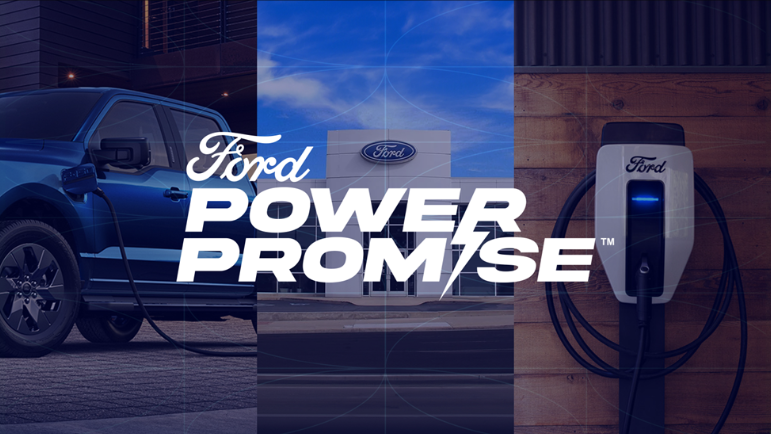
The Ford Power Promise™ is our commitment to electric vehicle (EV) confidence by supporting you from the moment you take ownership. To learn more about this program, visit the Ford Power Promise website and find answers to frequently asked questions below.
Support
Get electric-vehicle support by calling a dedicated Ford advisor for help with questions about charging, Ford BlueCruise, software updates, towing, roadside assistance*, and more, whenever you need it. For support with home charging installations, contact RocketEV.
Choose from the drop-down options below to learn more about the Ford Power Promise program's support.
Who is eligible to use support?
All F-150 Lightning truck and Mustang Mach-E SUV owners have access to Ford advisor support by calling 1-800-565-3673.
Note: This service is currently not available for fleet or commercial customers.
Where will my electric vehicle be towed to if I run out of charge?
You can have your electric vehicle towed to one of three locations within 25 kilometres:
- A public charging station.
- Your home.
- A Ford Dealer.
If you are more than 25 kilometres from home, you will be towed to the nearest charge station.
For more information refer to the Roadside Assistance website.
Who can I reach out to for installation support?
You can contact RocketEV by phone: 1-888-710-4769 | Monday – Friday 9 a.m. – 5 p.m. | or by email: info@rocketev.ca.
Note: If you have submitted a RocketEV Home Installation Request Form and do not hear from them within three business days, resubmit the form. If you do not receive an email within 24 hours from submission, contact them by phone: 1-888-710-4769 | Monday – Friday 9 a.m. – 5 p.m. | or by email: info@rocketev.ca.
On-the-Road Charging
The Ford app** and the BlueOval™ Charge Network† make charging on the road easier by helping you find charging stations, giving you the ability to pay-as-you-go or Plug & Charge with Tesla Superchargers, and more.
Choose from the drop-down options below to learn more about on-the-road charging.
How do I activate the BlueOval Charge Network?
To activate the BlueOval Charge Network using the Ford app:
- Log in to the Ford app.
- Scroll down to the "Connected Services" section and select Browse Connected Services.
Follow the prompts to complete the activation process.
To activate the BlueOval Charge Network using the Ford.ca Website:
- Navigate to ford.ca.
- Select the Account icon.
- Select Sign In from the dropdown.
- Click on Connected Services. If you have multiple vehicles on your account tap the Select button under your electric vehicle.
- Locate the "BlueOval Charge Network" section and select Activate.
- Tap Next.
- Follow the screen prompts to:
- Add your credit card.
- Read and accept the Terms & Conditions.
- Tap Confirm Activation.
How do I use the Ford app to find nearby chargers and activate them?
You can locate public chargers and filter results to find exactly what you are looking for using the Ford app or SYNC®††.
- Open the Ford app.
- Tap Energy.
- Select Public Charging.
Tips:
- From the map view you can view public chargers near your location or input another location in the search bar to browse chargers elsewhere.
- You can find public chargers in the BlueOval Charge Network by tapping the icon on the map view and selecting Activate next to the name of the charger you want to use.
- To view more filter options tap the Filters icon.
How do I use my vehicle's touchscreen to find nearby chargers?
You can locate public chargers on your vehicle's touchscreen by pressing the Home icon and selecting the Public Charging App.
Tips:
- You can view public chargers near your location or input another location into the search bar to browse chargers elsewhere.
- You can find public chargers in the BlueOval Charge Network by tapping on the location and then pressing Activate next to the name of the charger you want to use.
- To view more filter options tap the Filters icon.
Battery Confidence
Ford Motor Company offers warranty coverage for components unique to hybrid and electric vehicles, including the high-voltage battery, if found to be defective in factory-supplied materials or workmanship. This coverage lasts eight years or 160,000 kilometres (km) from the Warranty Start Date, whichever occurs first.‡ For more information about which components are covered under warranty, refer to the Battery Electric Vehicle Warranty Guide on the Ford website.
Additional Information
Fast Charging Adapters Frequently Asked Questions
How do I maximize my Ford Electric vehicle's range during winter?
How do I use Apple Maps EV Routing?
How do I use Google Maps EV Routing for Android Auto?
*Roadside assistance is subject to your vehicle’s coverage and may not be available for all makes and models of vehicles.
**The Ford app, formerly known as the FordPass® app, compatible with select smartphone platforms, is available via a download. Message
and data rates may apply. Terms and conditions apply. Visit ford.com for our privacy notice.
†Based on original equipment manufacturers (OEM) / automotive manufacturers that sell all-electric vehicles and have publicly announced charging networks. US Department of Energy data used.
††Don't drive while distracted or while using handheld devices. Use voice-operated systems when possible. Some features may be locked out while the vehicle is in gear. Not all features are compatible with all phones.
‡See your Ford dealer and the Battery Electric Vehicle Warranty Guide for limited warranty details.
iPhone, Apple CarPlay, and Siri are trademarks of Apple Inc., registered in Canada and other countries.
Android Auto is a trademark of Google LLC.