How do I use Ford BlueCruise?
Once you have completed the one-time setup, you can operate BlueCruise* using your steering wheel controls following the steps below.
One-Time Setup
- Download the Ford app** and add your Vehicle Identification Number (VIN).
- Activate your modem on your vehicle’s centre-screen display.
- Turn on Lane Centering with Hands-Free in the vehicle’s centre-screen display by determining your SYNC®† generation and completing the steps shown in the following table. If you need assistance finding your SYNC generation, refer to the SYNC Visual Reference Guide.
| SYNC 4A | SYNC 4 |
|
|
Notes:
- Enable Activation Prompts and Speed Sign Recognition or Predictive Speed Assist (depending on your SYNC menus) to maximize BlueCruise functionality.
- For BlueCruise versions 1.2 or later, once you have enabled Lane Centering with Hands-Free you can also enable additional features such as In-Lane Repositioning and Lane Change Assist by toggling them On.
Turning on BlueCruise Once You are On the Road
Select the Adaptive Cruise Control button on your steering wheel.

Make sure your Lane-Keeping System is on. If you do not see the icon on your instrument cluster, press the Lane Assist button on your steering wheel to turn it on.


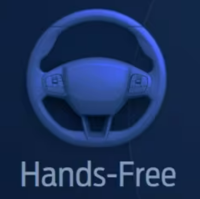
Your instrument panel will turn blue, and the hands-free icon will appear when you enter a hands-free Blue Zone.
Turning Off BlueCruise
BlueCruise can be switched off by pressing the:
- Brake pedal.
- Lane Assist button.
- Adaptive Cruise Control button.
Additional Information
What is BlueCruise hands-free driving?
*Available feature on select vehicles. BlueCruise requires an active plan or trial – see ford.com/bluecruise for details. Terms apply. BlueCruise is a driver-assist feature and does not replace safe driving or driver’s attention, judgment, and need to control the vehicle. Only remove hands in a hands-free Blue Zone. Always watch the road and be prepared to resume control. See Owner’s Manual for details and limitations.
**The Ford app, formerly known as the FordPass® app, compatible with select smartphone platforms, is available via a download. Message and data rates may apply. Terms and conditions apply. Visit ford.ca for our privacy notice.
†Do not drive while distracted or while using handheld devices. Use voice-operated systems when possible. Some features may be locked out while the vehicle is in gear. Not all features are compatible with all phones.