What do the warning and indicator lights in my Ford mean?
The warning lamps on your dashboard alert you to a vehicle condition that may become serious, and indicator lights show you when a feature is being used.
Some lamps turn on when you start your vehicle to make sure they work. If any lamps remain on after starting your vehicle, refer to your Vehicle Health Alerts in the Ford app* or review the list below for more information.
This article contains common warning and indicator lights. If the one you are looking for is not listed or if you are looking for information regarding other lights in your vehicle, such as headlights, taillights, and dome lights, refer to your vehicle's Owner's Manual.
Note: To understand which vehicle code is causing a light to turn on, contact your Ford Dealer.
Warning Light and Indicator Meanings
Select a drop-down option below to view images and meanings of some common lights that may appear on your dashboard:
Warning Lights
The following is a list of common warning lights. If the one you are looking for is not listed, refer to the Warning Lamps and Indicators section of your vehicle's Owner's Manual.
Important:
- If the warning light is orange or red, it means your vehicle is experiencing a problem and should be promptly taken to a Ford Dealer.
- When the light is yellow, service may be required, and you should have a dealer inspect your vehicle.
| Warning Light Symbol | Description |

| Anti-Lock Braking System (ABS) If it illuminates when you are driving and indicates a system error, you continue to have the normal braking without ABS unless the brake system warning lamp also illuminates. Have the system checked by a Ford Dealer immediately. |
 | Battery If it illuminates while driving and indicates a system error, switch off all unnecessary electrical equipment and have the system checked by a Ford Dealer immediately. |
  | Brake System Warning Lamp If the lamp illuminates when you are moving, you may have the parking brake applied. Make sure the parking brake is off. Have your vehicle checked by a Ford Dealer as soon as possible if the lamp continues to illuminate.
This lamp is a dual-function lamp and illuminates when:
|
 | Electric Park Brake It illuminates or flashes when the electric parking brake has a system error. |
 | Engine or Motor Coolant Temperature It illuminates when your vehicle coolant temperature is high. Stop your vehicle as soon as possible, switch off your vehicle, and let it cool. |
 | Engine Oil If it illuminates with the engine running or when you are driving, this indicates a system error. Stop your vehicle as soon as it is safe to do so and switch the engine off. Check the engine oil level. Note: Do not resume your journey if it illuminates despite the level being correct. Have the system checked by a Ford Dealer immediately. |
 | Front Airbag If it does not illuminate when you switch the ignition on, continues to flash, or remains on when the engine is running, this indicates a malfunction. Have your vehicle checked by a Ford Dealer as soon as possible. |
 | Headlight Range Control It illuminates when the control system is defective and needs service or repair. |
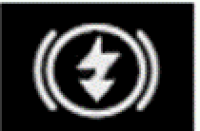
 | High Voltage Electric System Failure It illuminates if your hybrid electric vehicle has an electrical component fault or failure that causes your vehicle to shut down or enter a limited operating mode. A message may appear in the instrument cluster display. |
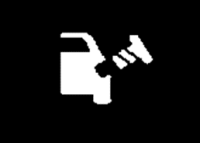 | Loose Gas Cap Warning It illuminates when there is a problem with the cap, including it being too loose, too tight, missing, dirty, or broken. If you see this warning, you can check the cap yourself. The problem might be as simple as needing to tighten it a bit more or clean it off. However, if your gas cap is in place correctly, visit your Ford Dealer for diagnosis. |
 | Low Beam Warning It illuminates when the low beam headlamp bulb is not functioning properly. |
 | Low Tire Pressure Warning It illuminates when the tire pressure is low. If the lamp remains on with the engine running or when driving, check the tire pressure as soon as possible. It also illuminates momentarily when you switch the ignition on to confirm the lamp is functional. If it does not illuminate when you switch the ignition on or begins to flash at any time, have the system checked by a Ford Dealer. |
 | Powertrain Fault This illuminates when the system detects a powertrain or a four-wheel drive (4WD)/all-wheel drive (AWD) fault. We do not recommend you drive while this light is illuminated. Contact a Ford Dealer as soon as possible. |
 | Service Engine Soon It illuminates when you switch the ignition on prior to engine start to check the bulb and to indicate whether your vehicle is ready for Inspection and Maintenance (I/M) testing. Normally, it illuminates until the engine is started and automatically turns off if no system errors are present.
|
 | Stability Control It flashes when the system is active. If it remains illuminated or does not illuminate when you switch the ignition on, this indicates a system error. During a system error, the system switches off. Have the system checked by a Ford Dealer immediately. |

Indicator Lights
The following is a list of common warning lights. If the one you are looking for is not listed, refer to the Warning Lamps and Indicators section of your vehicle's Owner's Manual.
Note: When a light on your dashboard is green or blue, it means that a vehicle feature is being used or has been activated.
| Indicator Light Symbol | Description |
 | Auto Hold Auto Hold keeps the vehicle at a complete stop until you press the accelerator. |
 | Auto Hold Active It illuminates when the Auto Hold system is actively holding your vehicle. |
 | Auto Hold Unavailable It illuminates when the Auto Hold system is turned on but cannot hold the vehicle at that particular time. |
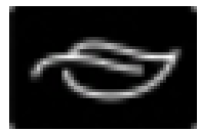 | Eco Mode It illuminates when Eco Mode is turned on. This mode helps deliver maximum fuel efficiency and helps to increase driving range. |
 | Grade Assist and Overdrive Cancel It illuminates when grade assist is turned on. |
 | Message Indicator It illuminates when your vehicle has a new message for you. This light may be red or amber depending on how serious the issue is. |
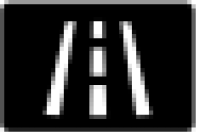 | Normal Drive Mode It illuminates when your vehicle is in the Normal drive mode. All systems that are altered by drive mode control are set to their default settings. |
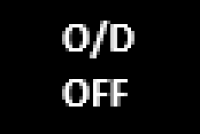 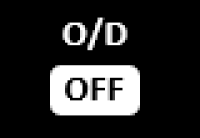 | Overdrive Off It illuminates when the transmission control switch has been pushed. When the light is on, the transmission does not shift into overdrive. If the light does not come on when the transmission control switch is depressed or if the light flashes when you are driving, visit a Ford Dealer. |
 | Stability Control Off It illuminates when you switch the Stability Control System off. This lamp turns off when you switch the system back on or when you switch the ignition off. |
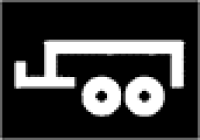 | Trailer Tow Mode It illuminates when Tow Mode is enabled on your vehicle. |
Other Lights
Refer to the Lighting section of your Owner's Manual for other questions. If you are on the Owner's Manual page and your vehicle's model year is not included in the Search by Year and Model dropdown, select Search by VIN and enter your VIN instead.
If you have additional questions, contact the Customer Relationship Centre using our Live Chat option or by calling 1-866-565-3673. You can also reach out to your Ford Dealer.
Additional Information
How do I adjust the Ambient Lighting in my vehicle?
What does the power outlet indicator light on my Ford Maverick mean?
What should I do if I need repair information?
What is the yellow light (BLIS) on my side view mirror?
*The Ford app, compatible with select smartphone platforms, is available via a download. Message and data rates may apply. Terms and conditions apply. Visit ford.ca for our privacy notice.